
🎵 Auryvox VT80 – Bluetooth Transmitter Setup
Connect your turntable to a Bluetooth speaker in just 2 minutes
1
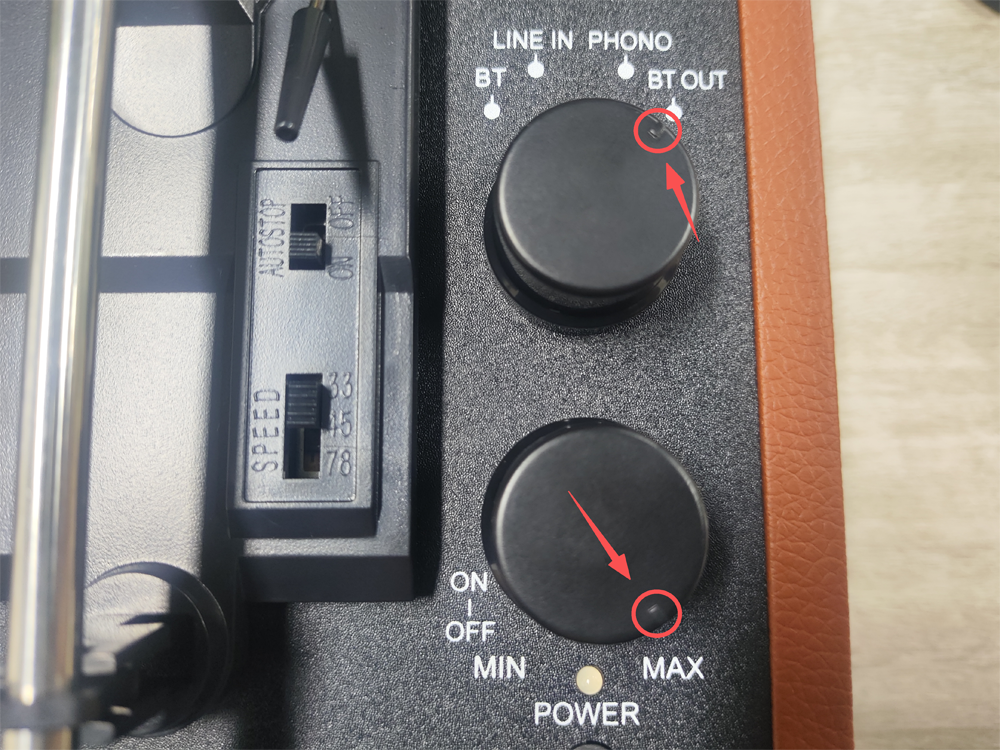
Switch to BT OUT while powered off
Make sure the turntable is turned off. Rotate the mode selector to
「BT OUT」 (Bluetooth Transmitter) position.
2
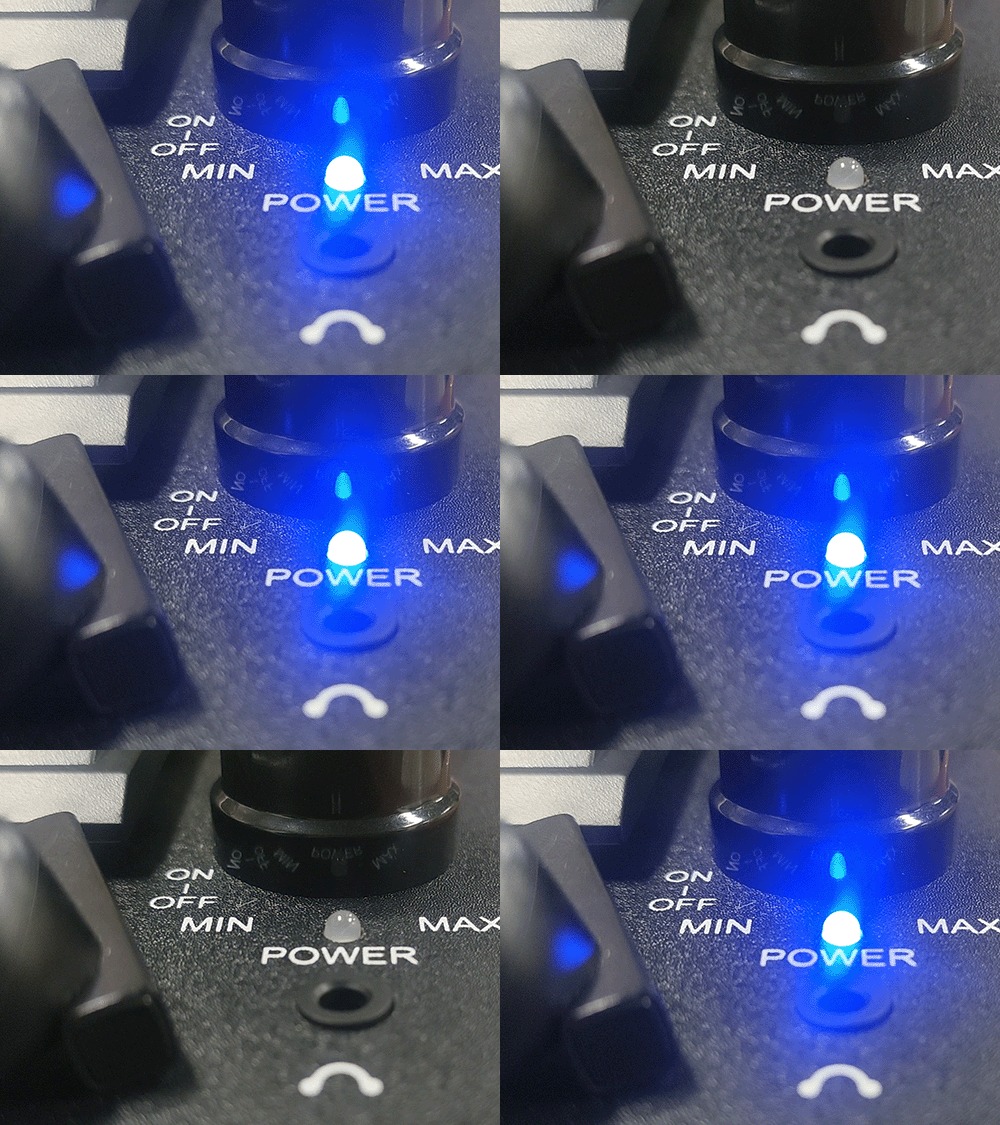
Power on – blue LED fast flashes
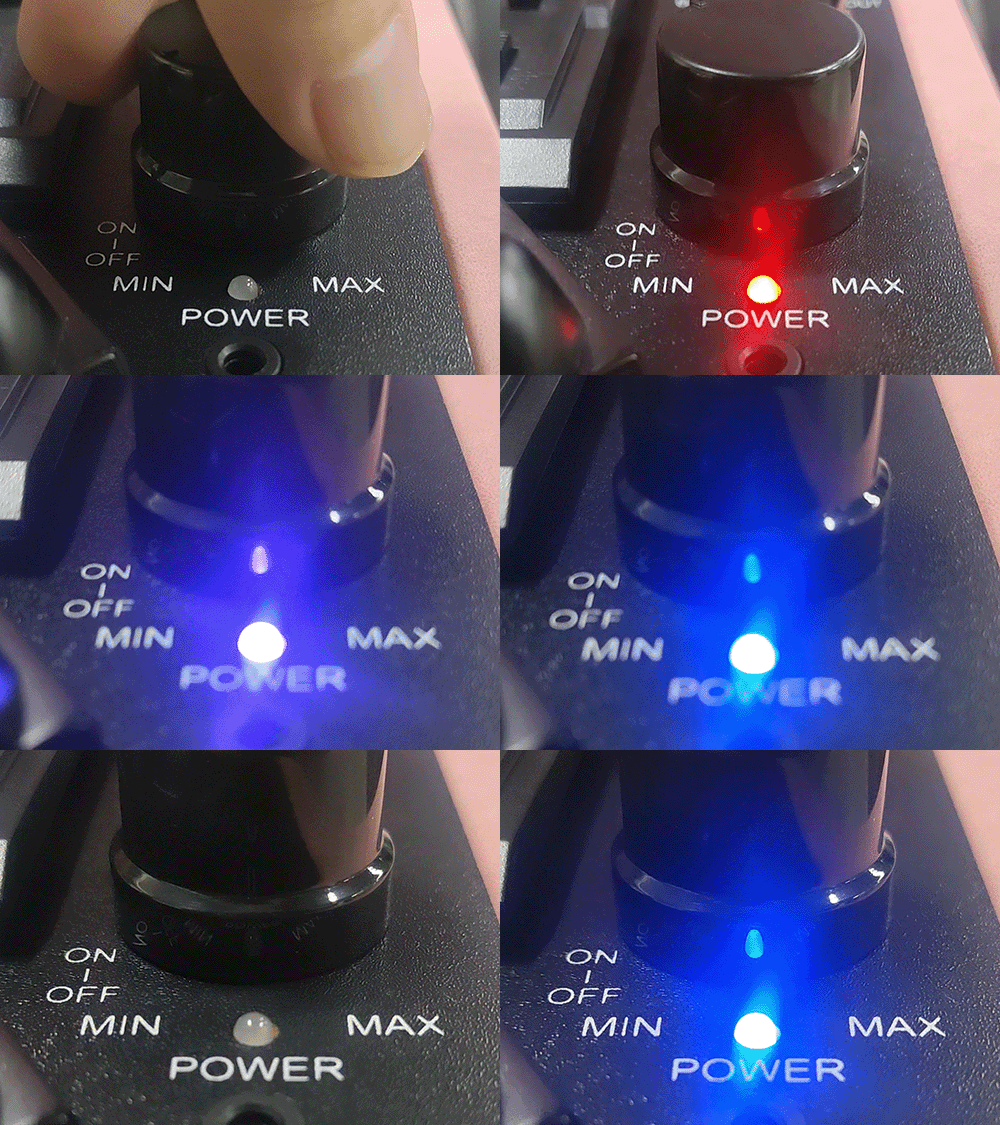
Turn the volume knob to power on the turntable. It will automatically enter Bluetooth transmitter mode.
Blue LED fast flashes (approx. twice per second) – this means it is ready to pair.
⏱ Lasts for 2 minutes – complete pairing within this time.
Blue LED fast flashes (approx. twice per second) – this means it is ready to pair.
⏱ Lasts for 2 minutes – complete pairing within this time.
3
Put your Bluetooth speaker into pairing mode
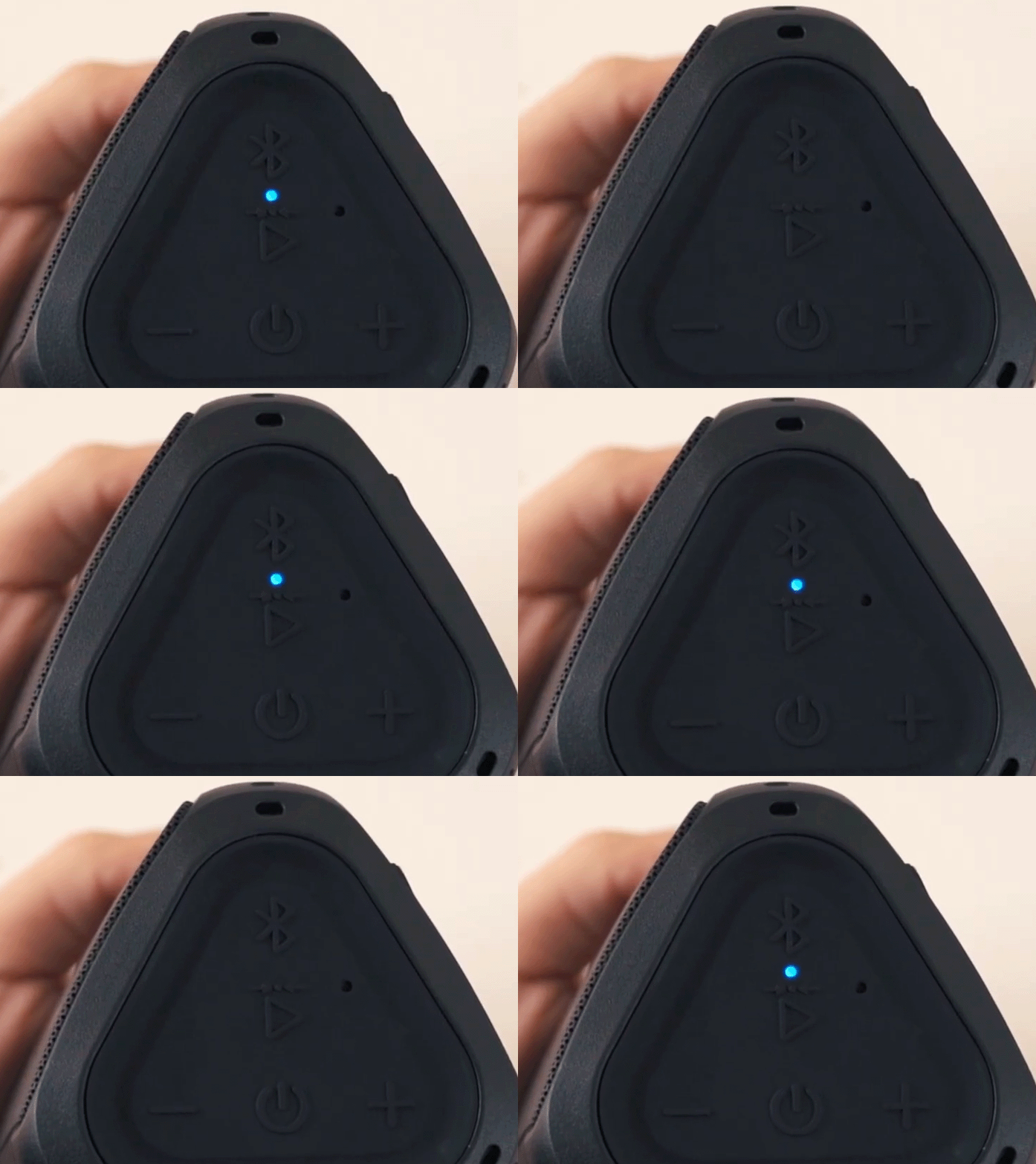
Set your speaker to discoverable / pairing mode (usually by holding or double‑tapping the Bluetooth button – see your manual).
The speaker’s LED should show red & blue alternate flash or blue fast flash.
The speaker’s LED should show red & blue alternate flash or blue fast flash.
4
Auto‑search & pair
The turntable will automatically search for and connect to the speaker in pairing mode.
Keep both devices within 1 metre of each other. Wait 5–30 seconds – the connection will be established automatically.
Keep both devices within 1 metre of each other. Wait 5–30 seconds – the connection will be established automatically.
5
✅ Pairing successful
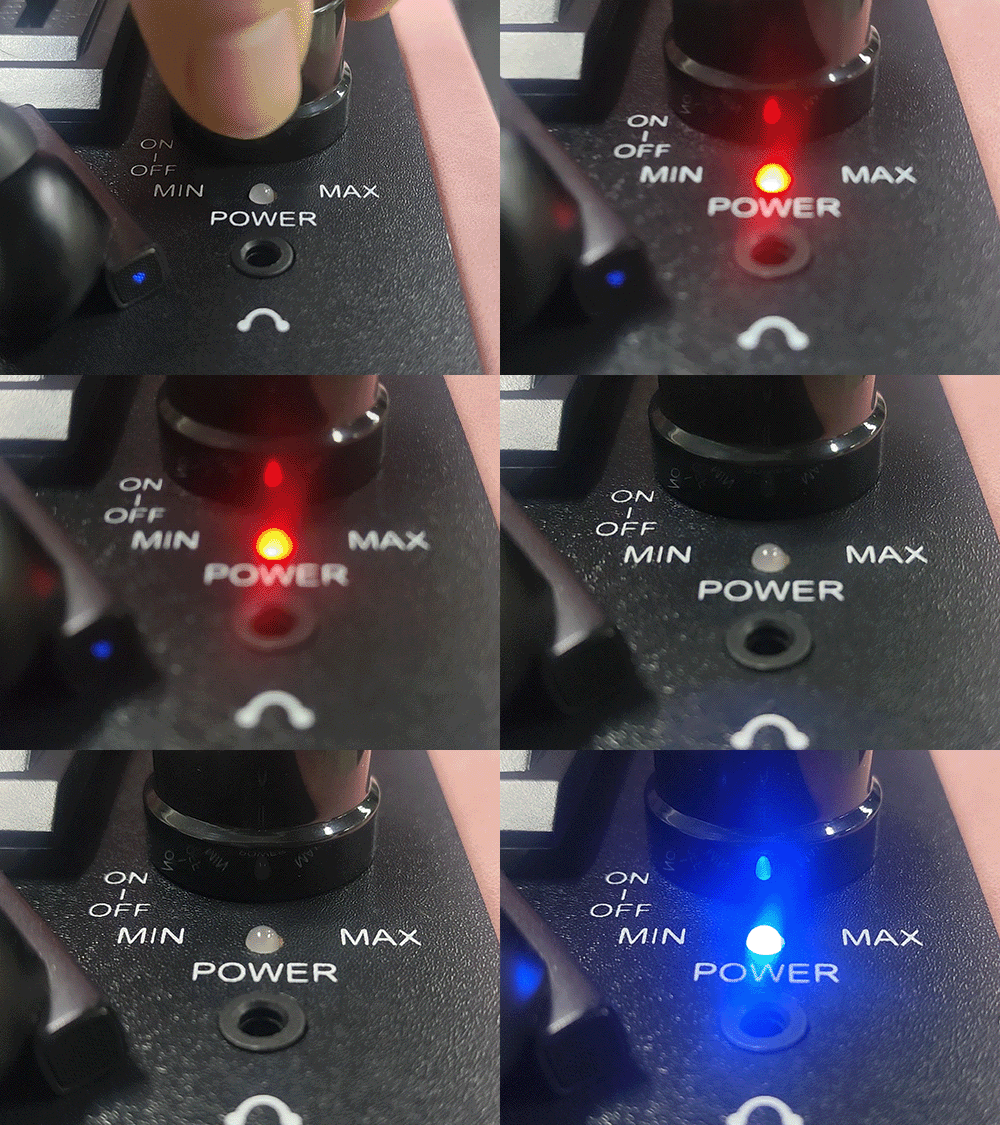
Once connected, the turntable’s blue LED changes from fast flashing to
slow flashing
(about once per second) – indicating a successful connection.
🎉 You can now enjoy your vinyl records through your Bluetooth speaker!
🎉 You can now enjoy your vinyl records through your Bluetooth speaker!
⚠️
Important: Ensure the speaker is not connected to any other device (phone, computer, etc.), otherwise it will not be discoverable by the turntable.